
Deliveries that run themselves.
RamTD Driver puts each driver's deliveries on their phone, straight from the till: the address, the phone number, what's in the bag and whether it's paid. One tap for directions, one tap when it's delivered, and the shop sees every step as it happens.
- Included with your RamTD till
- Any phone, no training needed
- Live tracking while on a delivery
No more paper slips, no more phone calls back to the shop
Everything a driver needs for the run is on one screen, in the order to deliver it.
Deliveries, live from the till
When the shop assigns an order to a driver, it appears on their phone within seconds: customer, address, order, notes and whether it's paid.
One-tap directions
Tap Directions and the address opens in Google Maps or Apple Maps. Tap Route to see the whole run in order.
Call the customer
Can't find the door? The customer's number is one tap away, no need to ring the shop first.
Start, Delivered, Failed
Tap Start when leaving and Delivered at the door. The time is recorded, and a failed delivery is marked as such with a reason.
Live location on the run
While a delivery is in progress the driver's position is shared with the shop, so staff can tell a waiting customer exactly where their food is.
Paid or to collect
PAID in big green letters, or the amount to collect at the door. No awkward moments, no missed cash.
End-of-shift cash-up
Every completed delivery with its time and payment, ready for the driver to settle up with the shop.
Accounts you control
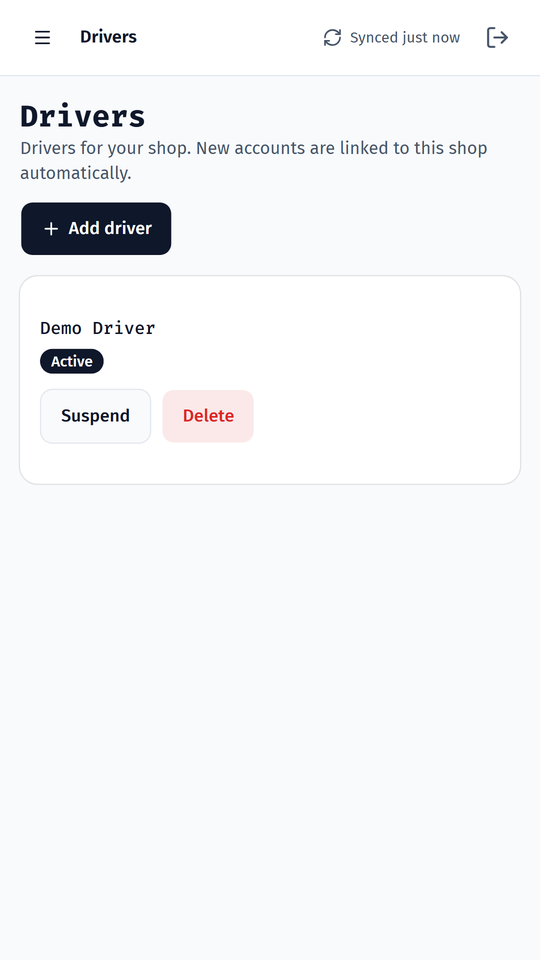
Add a driver in the RamTD Merchant app or on the till, suspend them when they leave. Each driver only ever sees their own deliveries.
Private by design
Location is shared only while a driver is signed in and on a delivery, never off shift. See our privacy policy.
From the till to the doorstep in four taps
Here's what happens to a single order once it leaves the kitchen.
The order lands
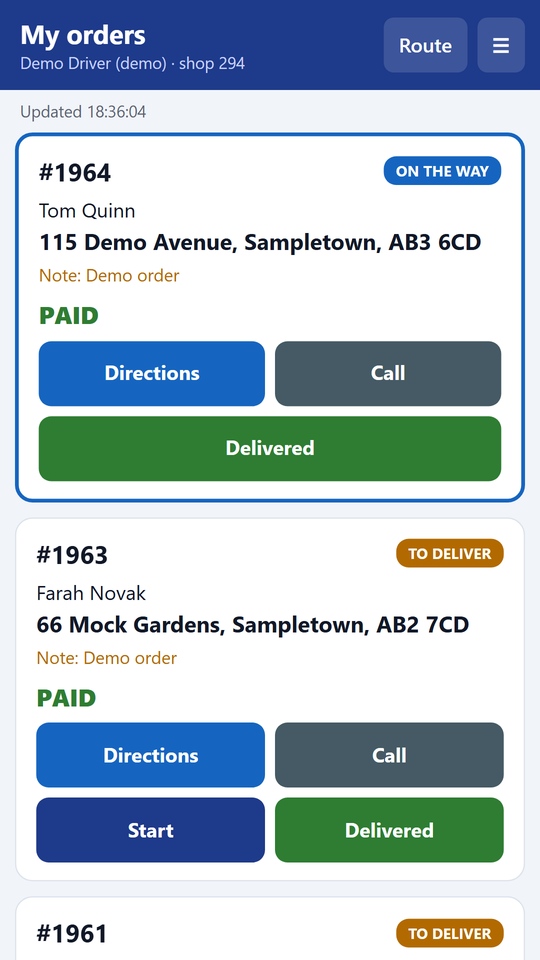
The shop assigns order #1964 to Sam on the till. Sam's phone shows it at once: Tom Quinn, 115 Demo Avenue, paid by card.
Start
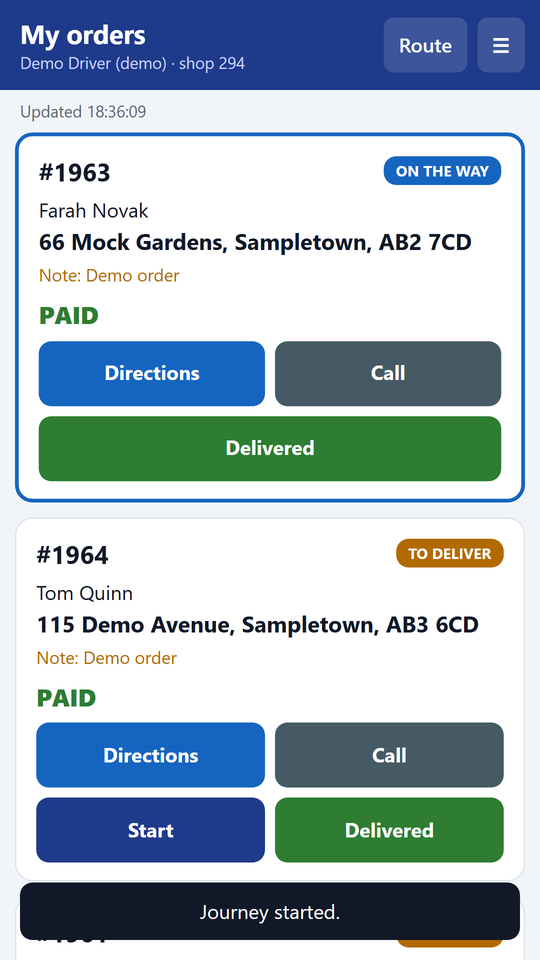
Sam taps Start as he leaves. The order turns to "On the way" on his phone, on the till and in RamTD Merchant. His location starts sharing.
Directions
One tap opens the address in his maps app. If Tom rings the shop, staff can see Sam is three streets away.
Delivered
At the door Sam taps Delivered. The time is recorded, the order closes on the till, and the next job is already at the top of his list.
Big buttons, bright colours, built for a phone in a cold hand
Screens from our demo restaurant.
Your drivers are on it tonight
- Add the driver. On the till or in RamTD Merchant, add a driver account with a name and a password. New accounts are linked to your shop automatically.
- Open the app on their phone. The driver goes to the RamTD Driver link, signs in and adds it to the Home Screen. Android or iPhone, nothing to install.
- Allow location and notifications. Location is used only while a delivery is in progress; notifications tell the driver when a new delivery is assigned.
Also coming to Google Play as RamTD Driver. The web app is the same app and updates itself.
Works with the till's driver screen
RamTD's till already has a driver screen and driver tracking. The app is the driver's end of it: assign on the till, deliver with the phone, and the till closes the order when the driver taps Delivered.
Takeaway EPOS featuresSeen in RamTD Merchant
Owners follow every delivery in the RamTD Merchant app, and the Driver Performance and Delivery Times reports show who delivered what, and how fast.
RamTD Driver questions
Does the driver need a special phone?
No. Any Android phone or iPhone with a browser works. The driver opens the RamTD Driver link, signs in and adds it to the Home Screen.
Is the driver tracked all the time?
No. Location is shared only while the driver is signed in and a delivery is in progress, so the shop can tell customers where their food is. Nothing is shared off shift.
What if a customer isn't in?
The driver can call the customer from the app, and if the delivery can't be made they mark it Failed with a reason. The shop sees it straight away.
Can a driver see other drivers' orders?
No. Each driver sees only the deliveries assigned to them. Managers see everyone in RamTD Merchant and on the till.
Does it cost extra?
No. RamTD Driver is included with your RamTD till. Add as many drivers as you need.
Give your drivers the app
Tell us your shop and how many drivers. They can be delivering with it tonight.