
Your shop in your pocket. Every order, every pound, live.
RamTD Merchant is the phone app that keeps you connected to your till wherever you are. Orders ring your phone the moment they are placed, today's takings sit on one screen, and every report from the till is a tap away. Nothing to refresh, nothing to wait for.
- Included with your RamTD till
- Android & iPhone
- All your branches in one app
Everything the till knows, on your phone
RamTD Merchant reads straight from your RamTD EPOS, so what you see is what the shop is doing right now.
Orders as they happen
Every phone, counter, website and app order appears the second it's placed, with a notification so you never miss one. Changed or cancelled orders ping you too.
Sales at a glance
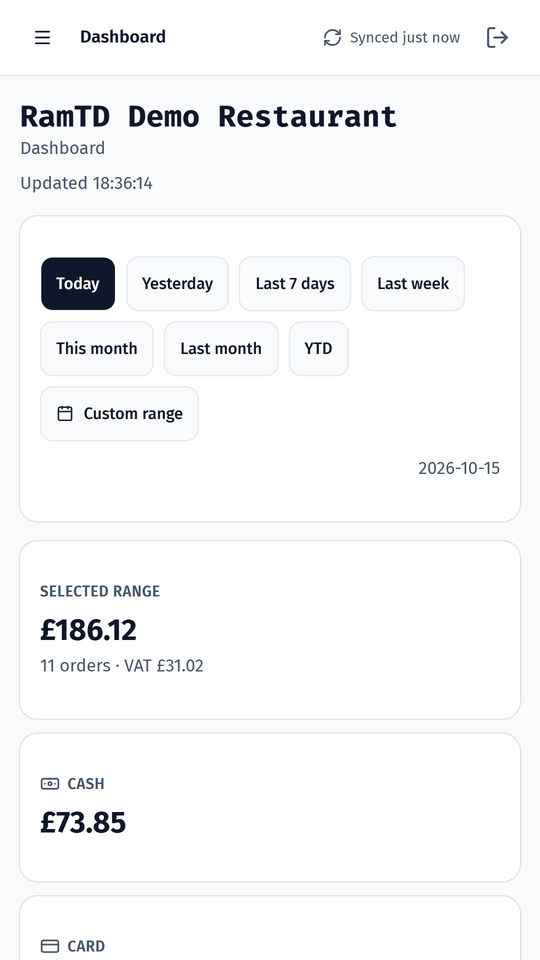
Today, yesterday, this week, this month or any date range: total sales, number of orders, VAT, cash and card. Compare against the same period before.
Z report & cash-up
The end-of-day Z report and cash-up figures for any day, exactly as the till prints them. Check the drawer from your sofa.
43 reports, exported in a tap
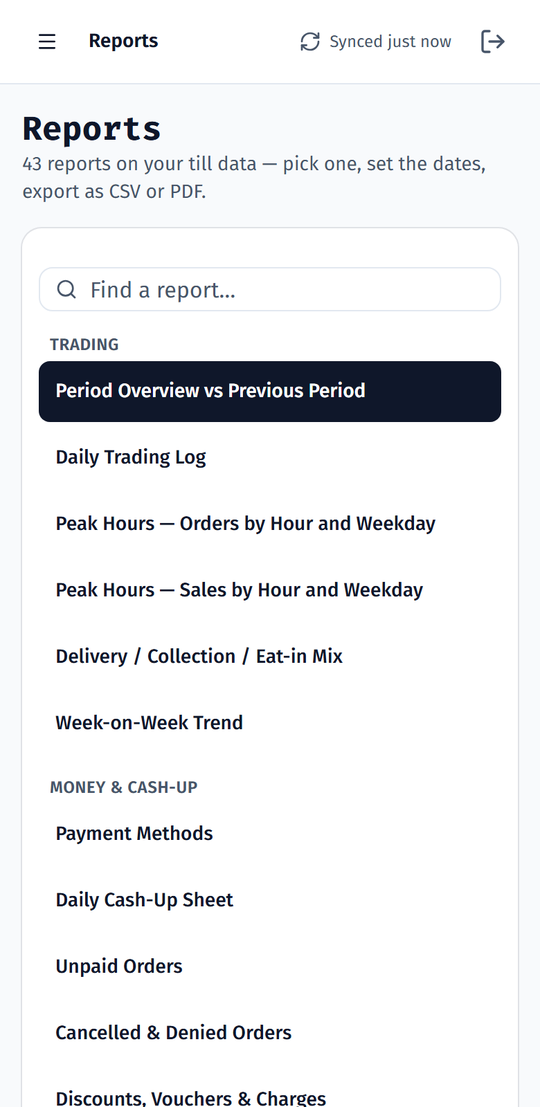
Peak hours, best sellers, payment methods, unpaid orders, slow sellers, delivery times, staff sales and more. Download any of them as CSV or PDF.
All your branches
Got more than one shop? Switch between branches or see them side by side with one sign-in. Notifications cover every branch.
Drivers & deliveries
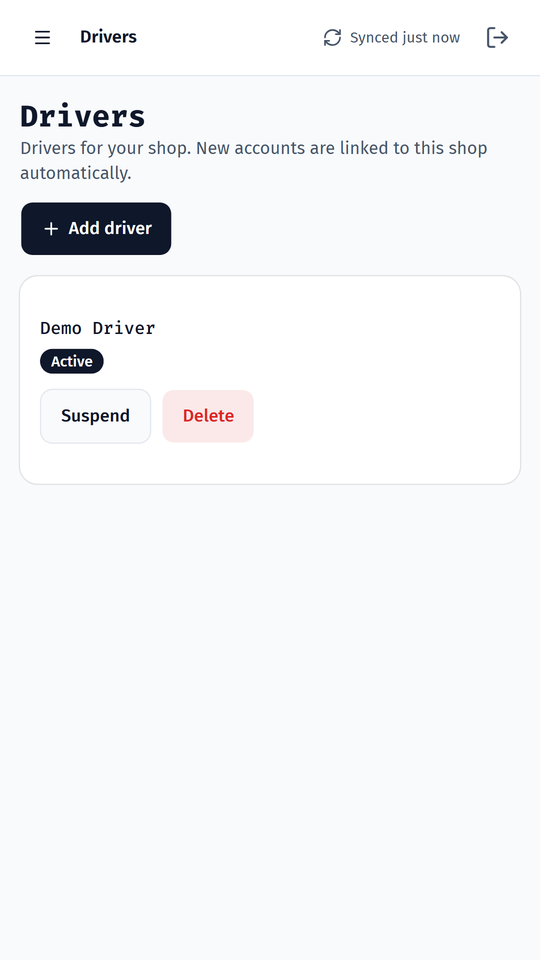
Add and suspend driver accounts, see who is out on a delivery and where each order is, live from the RamTD Driver app.
Text messages
Send texts to your customers straight from the app and see what was sent, all on your shop's own number.
Notifications you choose
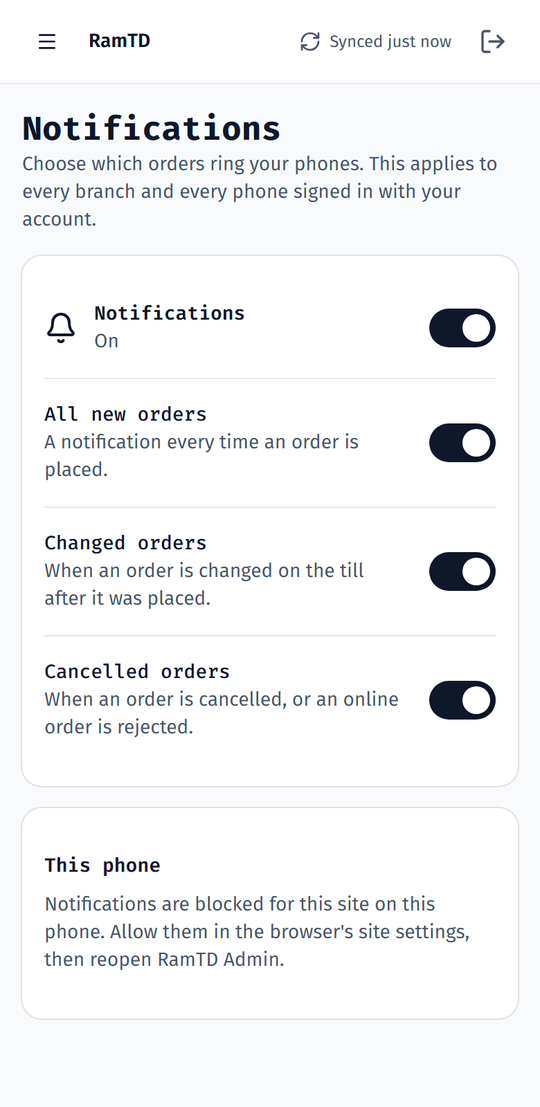
All new orders, changed orders, cancelled orders: tick what should ring your phone. It applies to every phone signed in with your account.
Safe sign-in
Sign in with the email and password set up for your shop. Each manager gets their own login, and you can switch one off at any time.
Run the shop without being in the shop
The app follows your day so the till never has to be your first stop.
11:32 · First order of the day
Your phone pings before the kitchen has finished prep. One look tells you it's a delivery, paid by card, and who it's for.
15:10 · How did lunch go?
Tap "Today" and you've got the takings, the number of orders and the split of cash and card, next to last Friday's.
19:45 · Friday rush
Orders roll in one after another. You see them land, watch the drivers head out from the Drivers page and know every delivery is covered.
23:30 · Cash-up from the sofa
The Z report is on your phone before the shutters are down. Numbers checked, drawer agreed, done.
Built for one hand and a busy evening
Big numbers, clear lists, no clutter. Screens from our demo restaurant.
On your phone in three minutes
- Ask us to switch it on. RamTD Merchant comes with your RamTD till. We set up a login for each owner or manager: an email address and a password.
- Open the app on your phone. Go to merchants.ramtd.net, sign in, and add it to your Home Screen so it opens like any other app. It works on Android and iPhone.
- Allow notifications. Say yes when the app asks, tick the orders you want to hear about, and you're done. New orders now ring your phone.
Also coming to Google Play as RamTD Merchant. Until then, the web app is the same app, kept up to date without reinstalling.
Pairs with RamTD Driver
Add a driver in Merchant and they can sign in to the RamTD Driver app straight away. Their deliveries come from the till, and their progress shows up in Merchant and on the till as it happens.
See the Driver appYour data stays yours
The app shows your own till's data to the people you give a login to, over a secure connection. Nothing is shared with anyone else. See our privacy policy.
RamTD Merchant questions
Does RamTD Merchant cost extra?
No. RamTD Merchant is included with your RamTD till. Ask us to switch it on and we set up the logins for your shop.
Does it work on iPhone as well as Android?
Yes. Open merchants.ramtd.net in Safari or Chrome on any phone and add it to your Home Screen. On iPhone, notifications work once the app is on the Home Screen (iOS 16.4 or newer).
Do I have to refresh to see new orders?
No. Orders and sales update on their own while the app is open, and new orders send a notification to your phone when it isn't.
Can my manager have their own login?
Yes. Each owner or manager gets their own email and password, and you can switch a login off at any time.
I have three shops. Do I need three apps?
No. One sign-in shows all your branches, and notifications cover every one of them.
Which reports are in the app?
All 43 reports from the till's Reports tool: trading, money and cash-up, customers, menu, staff and delivery. Each can be downloaded as CSV or PDF.
Put your shop in your pocket
Tell us which shop and who should have a login. We'll do the rest.